
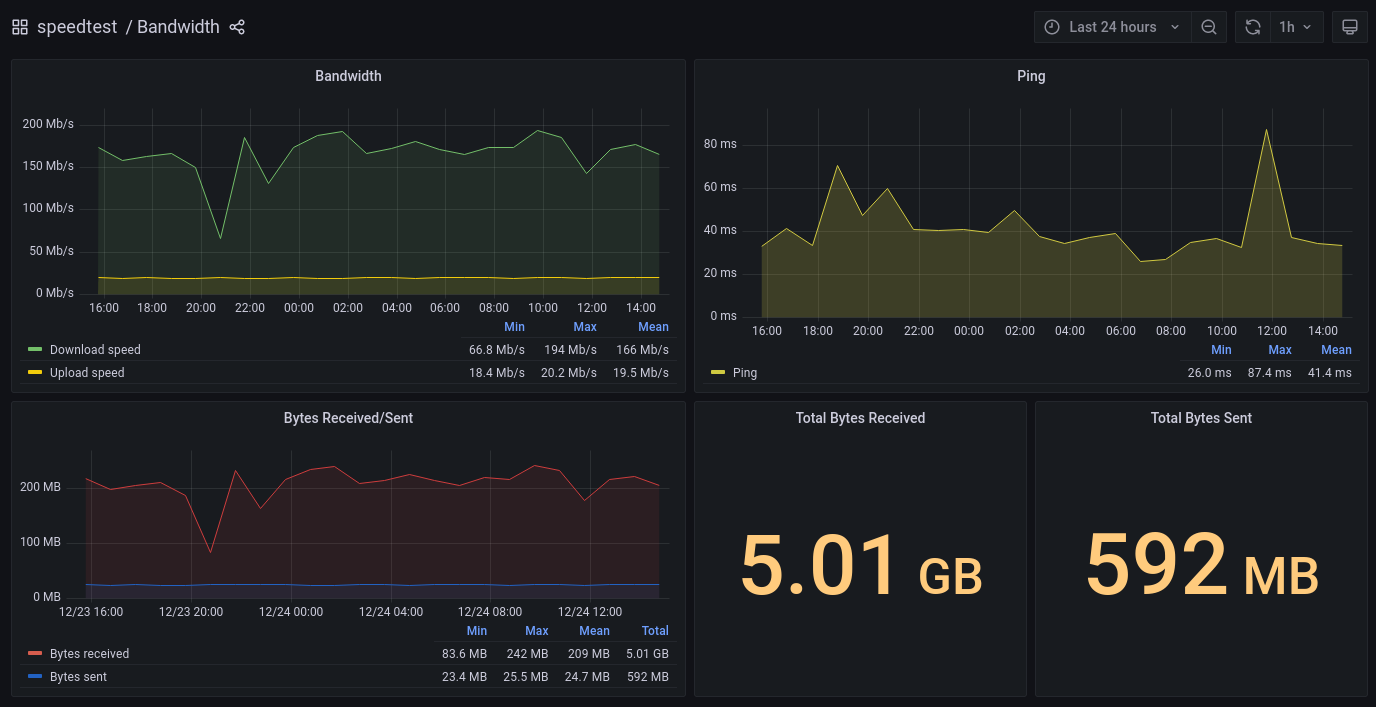
We are going to use our Kubernetes homelab to run speed tests and store results in InfluxDB. We will then configure Grafana with InfluxDB datasource to visualise data.
InfluxDB is an open-source time series database. We were previously running speedtest-cli with --csv flag and storing results in MySQL. Needless to say that MySQL was too much. We therefore decided to move on InfluxDB.
Pre-requisites
We are using our Kubernetes homelab in this article.
Grafana deployment instructions can be found here.
Configuration files used in this article can be found on GitHub. Clone the following repository:
$ git clone https://github.com/lisenet/kubernetes-homelab.git
The Plan
- Deploy and configure InfluxDB Docker image on Kubernetes.
- Write a Python script to run speed tests.
- Build a custom
speedtest-to-influxdbDocker image and push it to Docker Hub. - Deploy a Kubernetes cronjob to run
speedtest-to-influxdbDocker image. - Configure Grafana datasource and visualise data.
Install and Configure InfluxDB
Create a Kubernetes namespace:
$ kubectl create ns speedtest
Deploy InfluxDB
We are going to need to store data persistently. Content of the file influxdb-pvc.yml:
---
apiVersion: v1
kind: PersistentVolumeClaim
metadata:
  name: nfs-pvc-speedtest-influxdb
  namespace: speedtest
  labels:
    app: influxdb
  annotations:
    volume.beta.kubernetes.io/storage-class: "freenas-nfs-csi"
spec:
  storageClassName: freenas-nfs-csi
  accessModes:
    - ReadWriteOnce
  resources:
    requests:
      storage: 2048Mi
...
We will need a service to access InfluxDB. Content of the file influxdb-service.yml:
---
apiVersion: v1
kind: Service
metadata:
  name: influxdb
  namespace: speedtest
  annotations:
    prometheus.io/scrape: 'true'
    prometheus.io/port:   '8086'
  labels:
    app: influxdb
spec:
    selector:
      app: influxdb
    type: ClusterIP
    ports:
      - name: influxdb
        port: 8086
        targetPort: 8086
...
Content of the file influxdb-statefulset.yml:
---
apiVersion: apps/v1
kind: StatefulSet
metadata:
  name: influxdb
  namespace: speedtest
  labels:
    app: influxdb
spec:
  replicas: 1
  selector:
    matchLabels:
      app: influxdb
  serviceName: influxdb
  template:
    metadata:
      name: speedtest-influxdb
      labels:
        app: influxdb
    spec:
      containers:
        - name: influxdb
          image: influxdb:2.1.1
          imagePullPolicy: IfNotPresent
          livenessProbe:
            failureThreshold: 3
            httpGet:
              path: /health
              port: 8086
              scheme: HTTP
            initialDelaySeconds: 30
            periodSeconds: 10
            successThreshold: 1
            timeoutSeconds: 5
          ports:
            - containerPort: 8086
              name: influxdb
              protocol: TCP
          readinessProbe:
            failureThreshold: 3
            httpGet:
              path: /health
              port: 8086
              scheme: HTTP
            initialDelaySeconds: 5
            periodSeconds: 10
            successThreshold: 1
            timeoutSeconds: 1
          resources:
            limits:
              memory: "1024Mi"
              cpu: "200m"
            requests:
              memory: "64Mi"
              cpu: "10m"
          volumeMounts:
            - name: influxdb-data
              mountPath: /var/lib/influxdb2
      restartPolicy: Always
      terminationGracePeriodSeconds: 60
      volumes:
        - name: influxdb-data
          persistentVolumeClaim:
            claimName: nfs-pvc-speedtest-influxdb
...
Deploy InfluxDB persistent volume, service and pod:
$ kubectl apply -f ./influxdb-pvc.yml
$ kubectl apply -f ./influxdb-service.yml
$ kubectl apply -f ./influxdb-statefulset.yml
Configure InfluxDB
When then pod is running, port-forward requests to the influxdb service so that we could access it locally:
$ kubectl port-forward -n speedtest service/influxdb 8086:8086
Setup InfluxDB database:
$ influx setup --host http://127.0.0.1:8086/ \
  --org kubernetes-homelab \
  --username admin \
  --bucket speedtest \
  --retention 0
The bucket should be created automatically, in case it isn’t, run the following:
$ influx bucket create --name speedtest --retention 0
Create a v1 user and a password:
$ influx v1 auth create \
  --username speedtest \
  --read-bucket $(influx bucket list --name speedtest --hide-headers|cut -f1) \
  --write-bucket $(influx bucket list --name speedtest --hide-headers|cut -f1)
Create a v1 DB retention policy:
$ influx v1 dbrp create \
  --bucket-id $(influx bucket list --name speedtest --hide-headers|cut -f1) \
  --db speedtest \
  --rp 0 \
  --default
Python Script speedtest-to-influxdb.py
We are going to use Python to run speed tests. Content of the file speedtest-to-influxdb.py can be seen below.
#!/usr/bin/env python

# See https://github.com/lisenet/kubernetes-homelab

import speedtest
from influxdb import InfluxDBClient
import os

# Retrieve environment variables
influx_user = os.environ['INFLUXDB_USERNAME']
influx_pass = os.environ['INFLUXDB_PASSWORD']
influx_db   = os.environ['INFLUXDB_DATABASE']
influx_host = os.environ['INFLUXDB_HOST']
influx_port = os.environ['INFLUXDB_PORT']

# Client config
influx_client = InfluxDBClient(influx_host,influx_port,influx_user,influx_pass,influx_db)

print ("Dummy request to test influxdb connection")
influx_client.get_list_database()

print ("Running a speedtest using default server")
s = speedtest.Speedtest()
s.get_best_server()
s.download()
s.upload()
results = s.results.dict()

print ("Printing raw results to stdout")
print (results)

# Format the data
influx_data = [
    {
        "measurement": "speedtest",
        "time": results["timestamp"],
        "fields": {
            "download": results["download"],
            "upload": results["upload"],
            "bytes_received": results["bytes_received"],
            "bytes_sent": results["bytes_sent"],
            "ping": results["ping"]
        }
    }
]

print ("Writing to influxdb")
influx_client.write_points(influx_data)
How to Run speedtest-to-influxdb.py Locally (Without Docker)
$ pip3 install speedtest-cli influxdb
$ INFLUXDB_HOST=127.0.0.1 \
  INFLUXDB_PORT=8086 \
  INFLUXDB_DATABASE=speedtest \
  INFLUXDB_USERNAME=speedtest \
  INFLUXDB_PASSWORD=changeme \
  ./speedtest-to-influxdb.py
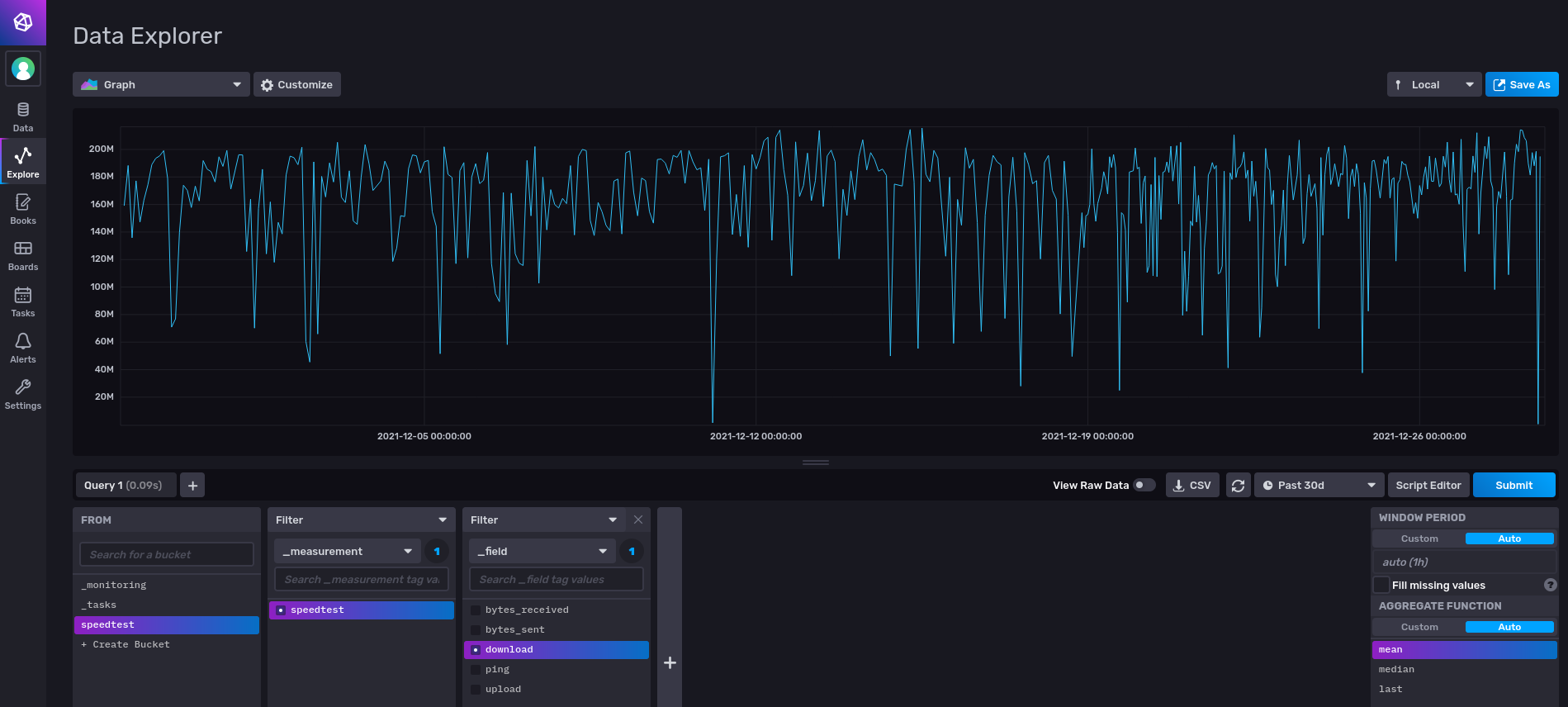
Data should be written to InfluxDB.
Build speedtest-to-influxdb Docker Image
Content of the file Dockerfile can be seen below.
FROM python:3-alpine

RUN pip3 install speedtest-cli influxdb

COPY python/speedtest-to-influxdb.py /usr/local/bin/speedtest-to-influxdb.py

ENTRYPOINT ["/usr/local/bin/speedtest-to-influxdb.py"]
Build the image, tag it and push it to Docker Hub:
$ docker build -t speedtest-to-influxdb:1.0.0 .
$ docker tag speedtest-to-influxdb:1.0.0 lisenet/speedtest-to-influxdb:1.0.0
$ docker push lisenet/speedtest-to-influxdb:1.0.0

$ docker tag speedtest-to-influxdb:1.0.0 lisenet/speedtest-to-influxdb:latest
$ docker push lisenet/speedtest-to-influxdb:latest
Deploy speedtest-to-influxdb Docker Image to Kubernetes
Create a secret. Update the file speedtest-secret.yml to use the password that we set up for the v1 user. Content of the file speedtest-secret.yml:
---
apiVersion: v1
kind: Secret
metadata:
  name: influxdb-credentials
  namespace: speedtest
  labels:
    app: speedtest-to-influxdb
type: Opaque
data:
  INFLUXDB_USERNAME: c3BlZWR0ZXN0
  INFLUXDB_PASSWORD: eW91ciBpbmZsdXhkYiBwYXNzd29yZA==
...
Create a cronjob. Note how the pod populates environment variables from the secret. Content of the file speedtest-cronjob.yml:
---
apiVersion: batch/v1
kind: CronJob
metadata:
  name: speedtest-to-influxdb
  namespace: speedtest
  labels:
    app: speedtest-to-influxdb
spec:
  schedule: "45 * * * *"
  successfulJobsHistoryLimit: 1
  failedJobsHistoryLimit: 10
  jobTemplate:
    spec:
      template:
        spec:
          containers:
          - name: speedtest-to-influxdb
            image: lisenet/speedtest-to-influxdb:1.0.0
            imagePullPolicy: IfNotPresent
            env:
            - name: INFLUXDB_DATABASE
              value: "speedtest"
            - name: INFLUXDB_HOST
              value: "influxdb"
            - name: INFLUXDB_PORT
              value: "8086"
            envFrom:
            - secretRef:
                name: influxdb-credentials
          restartPolicy: Never
...
Deploy the application:
$ kubectl apply -f ./speedtest-secret.yml
$ kubectl apply -f ./speedtest-cronjob.yml
Grafana
We will add a datasource for InfluxDB and import a speedtest dashboard.
Grafana Datasource for InfluxDB
Add InfluxDB details to Grafana’s config map. Content of the file grafana-config-map-datasource.yml:
---
apiVersion: v1
kind: ConfigMap
metadata:
  name: grafana-datasources
  namespace: monitoring
  labels:
    app: grafana
data:
  prometheus.yaml: |-
    apiVersion: 1
    datasources:
    - access: proxy
      editable: true
      isDefault: true
      name: Prometheus
      orgId: 1
      type: prometheus
      url: http://prometheus-service.monitoring.svc:9090
      version: 1
    - access: proxy
      editable: true
      jsonData:
        authType: keys
        defaultRegion: eu-west-1
      secureJsonData:
        accessKey: ${GRAFANA_IAM_ACCESS_KEY}
        secretKey: ${GRAFANA_IAM_SECRET_KEY}
      name: CloudWatch
      orgId: 1
      type: cloudwatch
      version: 1
    - access: proxy
      database: speedtest
      editable: true
      name: InfluxDB
      orgId: 1
      secureJsonData:
        password: ${INFLUXDB_PASSWORD}
      type: influxdb
      url: http://influxdb.speedtest.svc:8086
      user: ${INFLUXDB_USERNAME}
      version: 1
Apply the changes and restart the Grafana pod:
$ kubectl apply -f ./grafana-config-map-datasource.yml
Grafana Dashboard
Grafana dashboard JSON file is available on GitHub, see grafana-dashboard-speedtest.json. It is tailored for the speedtest-to-influxdb Docker image.